

Rendering Types in Next.js
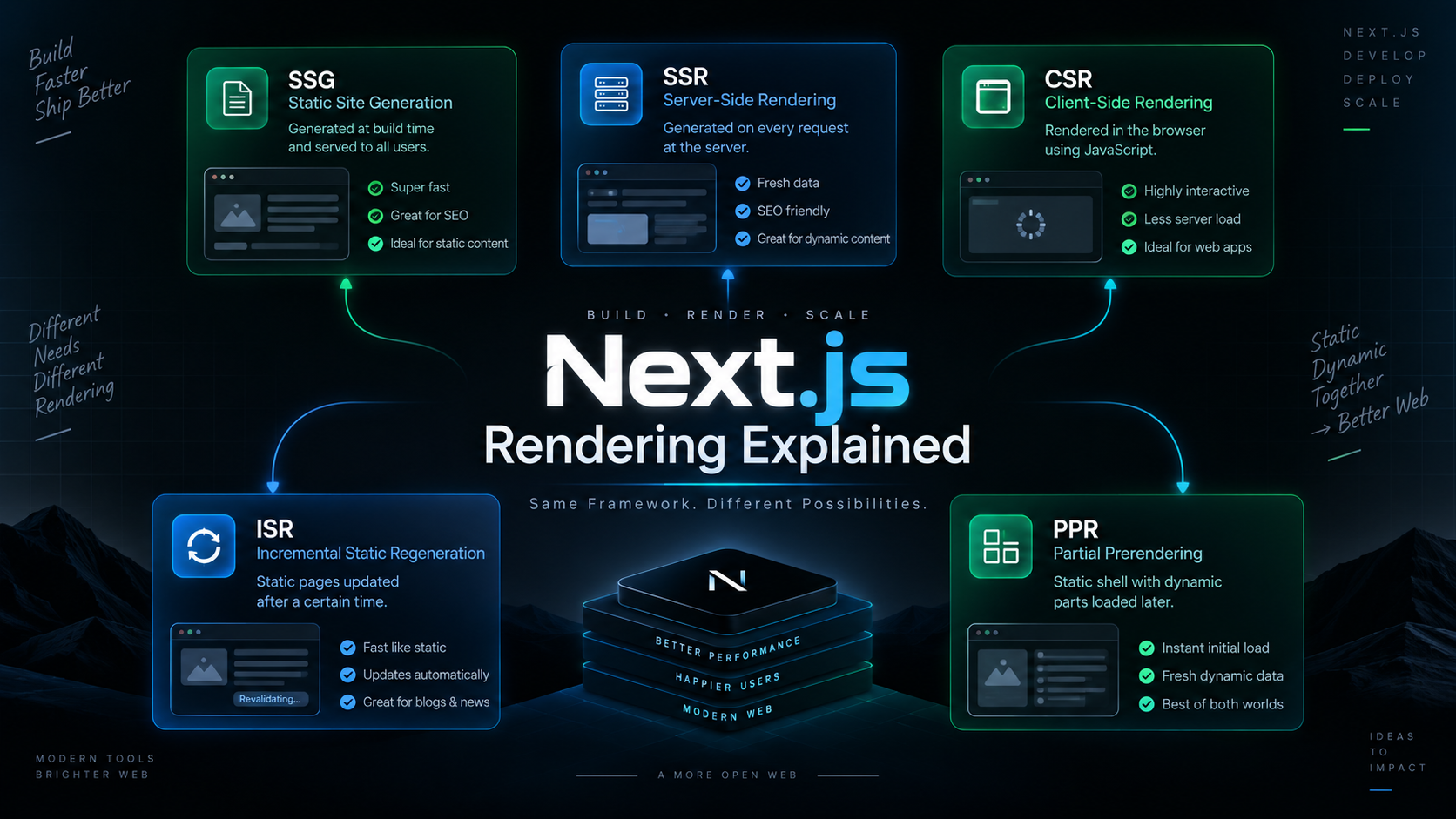
When I started learning Next.js, one thing that confused me the most was the different rendering methods. Terms like SSR, CSR, SSG, ISR, and Partial Prerendering sounded complicated at first.
After working with Next.js projects, I realized that rendering is simply about one question:
"Where and when is the HTML generated?"
Once you understand this, all rendering strategies become much easier to learn.
What is Rendering?
Rendering is the process of converting your React components into HTML that users can see in the browser.
In Next.js, HTML can be generated:
During build time
On the server when a request arrives
In the browser
Or a combination of all of these approaches
Next.js provides multiple rendering strategies so developers can choose the best balance between performance, SEO, and fresh data.
1. Static Site Generation (SSG)
Static Site Generation creates the HTML during the build process.
Once the application is built, the generated HTML files are stored and reused for every visitor.
How it works
Build Project
      ↓
Generate HTML
      ↓
Store on CDN
      ↓
Serve Same HTML to Everyone
Example Use Cases
Portfolio websites
Company websites
Documentation
Blog posts
Advantages
Extremely fast
Excellent SEO
Low server cost
Limitation
If the content changes, you need to rebuild the application to see updates.
Think of SSG as printing thousands of copies of a book before customers arrive.
2. Server-Side Rendering (SSR)
Server-Side Rendering generates HTML every time a user requests a page.
Instead of serving a prebuilt page, the server creates a fresh version for each request.
How it works
User Request
      ↓
Server Fetches Data
      ↓
Generate HTML
      ↓
Send Response
Example Use Cases
User dashboards
Stock market data
Weather applications
Personalized content
Advantages
Always fresh data
SEO friendly
Supports user-specific content
Limitation
Slower than static pages
More server resources are required
Think of SSR as preparing a meal only after the customer places an order.
3. Client-Side Rendering (CSR)
With Client-Side Rendering, the server sends a minimal page and JavaScript takes over in the browser.
The browser fetches data and builds the UI after the page loads.
How it works
User Opens Page
      ↓
Browser Receives JS
      ↓
Fetch Data
      ↓
Render UI
Example Use Cases
Admin panels
Chat applications
Highly interactive dashboards
Advantages
Great user interactivity
Less work on the server
Limitation
Slower first load
Not ideal for SEO
Users may briefly see loading states
Think of CSR as receiving ingredients and cooking the meal yourself.
4. Incremental Static Regeneration (ISR)
ISR combines the speed of static pages with the ability to update content automatically.
A page is generated statically, but Next.js can regenerate it in the background after a specified interval.
How it works
Build Time
      ↓
Static Page Created
      ↓
Users Access Page
      ↓
Background Regeneration
Example Use Cases
News websites
Product catalogs
Blog platforms
Advantages
Fast performance
Better scalability
Updated content without full rebuilds
Limitation
Content may not update instantly.
Think of ISR as updating a newspaper edition every few hours instead of reprinting it every minute.
5. Partial Prerendering (PPR)
Partial Prerendering is one of the newest rendering approaches in Next.js.
Instead of choosing between static and dynamic rendering, you can use both on the same page.
The static content is generated ahead of time, while dynamic sections are streamed later when needed.
How it works
Static Shell Generated
          ↓
Page Loads Instantly
          ↓
Dynamic Sections Stream In
Example
Imagine an e-commerce website:
Product details → Static
Shopping cart → Dynamic
Recommendations → Dynamic
The user sees the page immediately while personalized content loads in the background.
Advantages
Fast initial load
Fresh dynamic content
Better user experience
Limitation
- More complex than traditional rendering methods
Think of PPR as serving most of the meal immediately while preparing personalized items at the same time.
6. Server Components
In the App Router, Next.js uses Server Components by default.
These components run on the server and send the rendered result to the browser. They can fetch data directly and reduce the amount of JavaScript sent to users.
Best For
Database queries
API calls
Content-heavy pages
Benefits
Smaller JavaScript bundles
Better performance
Improved security
7. Client Components
Client Components run in the browser.
Whenever you need:
useState
useEffect
Event handlers
Browser APIs
you must use a Client Component by adding:
"use client";
at the top of the file.
Best For
Forms
Modals
Interactive dashboards
Theme switchers
Benefits
Rich interactivity
Access to browser APIs
Limitation
- Larger JavaScript bundle
Quick Comparison
| Rendering Type | Generated At | SEO | Fresh Data | Speed |
|---|---|---|---|---|
| SSG | Build Time | Excellent | No | Very Fast |
| ISR | Build + Revalidate | Excellent | Periodic | Very Fast |
| SSR | Every Request | Excellent | Yes | Medium |
| CSR | Browser | Limited | Yes | Slower Initial Load |
| PPR | Static + Dynamic | Excellent | Yes | Very Fast |
| Server Components | Server | Excellent | Yes | Fast |
| Client Components | Browser | Depends | Yes | Interactive |
Final Thoughts
There is no single "best" rendering strategy in Next.js.
Use SSG for content that rarely changes.
Use ISR when content updates occasionally.
Use SSR for real-time or personalized data.
Use CSR for highly interactive applications.
Use PPR when you want both speed and dynamic content.
Use Server Components by default and add Client Components only where interactivity is required.
The real strength of Next.js is that it allows you to mix these approaches in the same application and choose the best tool for each page.
Connect with :
Hashnode: hashnode.com/@Nehal71
Twitter : twitter.com/IngoleNehal
LinkedIn: linkedin.com/in/nehal-ingole
GitHub : github.com/Ingole712521


